How much Grab ads cost depends first on where you buy them. In the GrabMerchant app, Grab charges an ad per completed order; on the GrabMerchant Portal, search and listing ads can be charged per click, and image or video ads per thousand impressions1. The price itself is not on a rate card: it comes out of an auction, and it is capped by the maximum you set. Every charge is deducted automatically from your store earnings2. So the useful question is not "what does a click cost on Grab" but "what is the most you will pay for a click, or for an order, and what does that order leave you".
This guide covers Singapore, Malaysia, Thailand, the Philippines, Vietnam and Indonesia. Grab's help centre states the same charging rules in each of them, with one difference: its Indonesian and Vietnamese pages describe only the app's cost per order, and the other differences are noted below.
Do you pay per click or per order on Grab ads?
Both exist, on two different tools. Grab says it started rolling out cost per order pricing in 20233, and it is what you get when you create an ad from the Marketing tile of the GrabMerchant app1. Cost per click and cost per thousand impressions remain, set up on the GrabMerchant Portal on a desktop, or with an account manager if you have one4.
The difference matters for risk. With cost per order, Grab's Vietnamese help centre puts it plainly: you pay nothing when a customer taps your ad and does not order5. With cost per click, you pay when someone clicks on your ad6, whether or not that click becomes an order.
What to do: if you run ads from the app, think in cost per order, because that is what you are billed. If you or your agency run search ads from the portal, think in cost per click, and work out how many clicks it takes to make one order before you set a bid.
How is the price of a click or an order set?
By a second price auction. You set a bid, the maximum you will pay, and you always pay the lowest amount needed to beat the next bid, which Grab describes as one cent more than the next highest bidder7. Grab's own example: you bid $0.50 per click, competing merchants bid $0.25, and you are charged $0.26 per click8. The Indonesian and Vietnamese pages give a similar example in rupiah and in dong. These are illustrations of the rule, not prices.
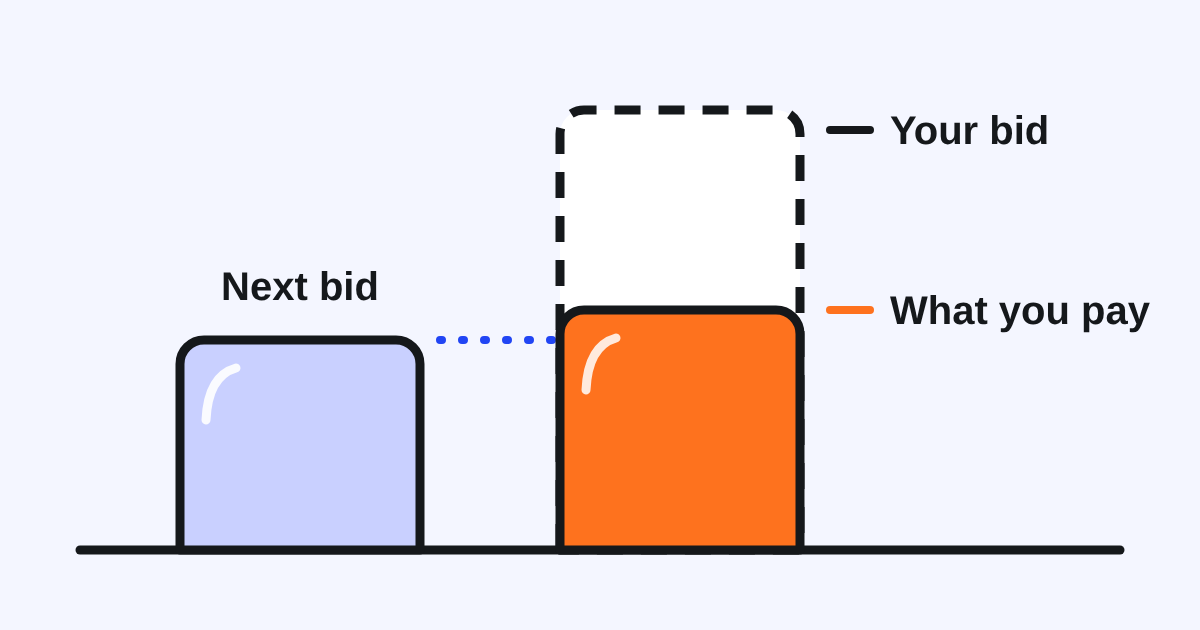
The price moves with demand. Grab says you pay more when ads are in demand and less during off-peak hours and seasons9, and that charges vary with real-time bidding and ad quality10. Grab does not define what "ad quality" weighs.
How much does a click cost on Grab?
Grab does not publish it, in any of the six markets. No help centre page we read gives a rate, an average or a minimum per click or per order: the figures in its examples are made up to show how the auction works. Anyone who quotes you a fixed "Grab cost per click" is giving you one account's result, not a price.
How to find out yours:
- Before you launch, use the Forecasting panel on the right of the Marketing Manager Pro screen, which Grab says estimates weekly orders and updates every time you change the campaign11.
- After you launch, read the campaign's own report: spend, clicks and orders for your store, in your zone, at your bid. That is the only cost per click that describes your account.
Which orders does Grab count as coming from your ad?
An order counts for your ad if it is placed within one hour of the customer seeing the ad, or within 24 hours of clicking on it. If several of your ads ran, only the last one seen is charged12. One click can count more than once: Grab's own example is a new customer who clicks and places 2 orders within 24 hours, and both orders count for the campaign13.
This is generous to the ad. A regular who would have ordered anyway, saw your ad, and ordered within the hour is counted, and on cost per order, charged. Keep that in mind when you judge a campaign by the orders its report shows: compare your total orders in the weeks with and without the ad, not only the orders the ad claims.
Why can one day cost more than your daily budget?
Because the daily budget is an average, not a ceiling. Actual daily spend can run up to 30% above it: Grab's example is a RM10 daily budget that can be charged RM13 on a given day14. And ad spend between 10:00 PM and midnight is billed the next day15, so one day's charge can carry part of the night before.
What holds is the total. In Thailand, Grab states you will not be charged more than the total budget for the campaign period16. In Thailand, VAT is added on top: on a 100 THB daily budget charged at its 130 THB maximum, Grab gives a total of around 139.1 THB after 7% VAT17. The Thai help centre also sets a minimum daily budget of THB 10018; we found no minimum stated for the other markets.
Two more things to expect on your statements. Charges can appear the day after a campaign ends, because Grab processes them over 24 hours19. And if ad charges go unpaid in your store wallet, your campaigns can stop delivering until the balance is cleared20.
Is a Grab ad worth what it costs you?
Grab says nearly 80% of clicks go to the first two slots of search and listing results21, which is why an ad there can move orders. Grab also says advertisers see on average 2.6x return on ad spend after using Marketing Manager22. That is Grab's average across advertisers, and return on ad spend counts sales, not what is left after food, packaging and commission.
The test for your restaurant is simple to write down:
- Take your average order on Grab and subtract the commission, the food and the packaging. That is what an order leaves you before the ad.
- Set your maximum cost per order below that amount. If you buy per click, divide it by the number of clicks you expect per order.
- Run the campaign long enough to judge. Grab recommends at least 14 days23 and no more than 2 campaigns at the same time24.
- Check your total orders, not only the attributed ones, against the weeks before.
An ad works harder with a reason to order. Any promotion you run appears automatically on your search ad25, and a strong hero photo of your best dish is part of what a customer sees before tapping.
Should you set your bid yourself or let Grab do it?
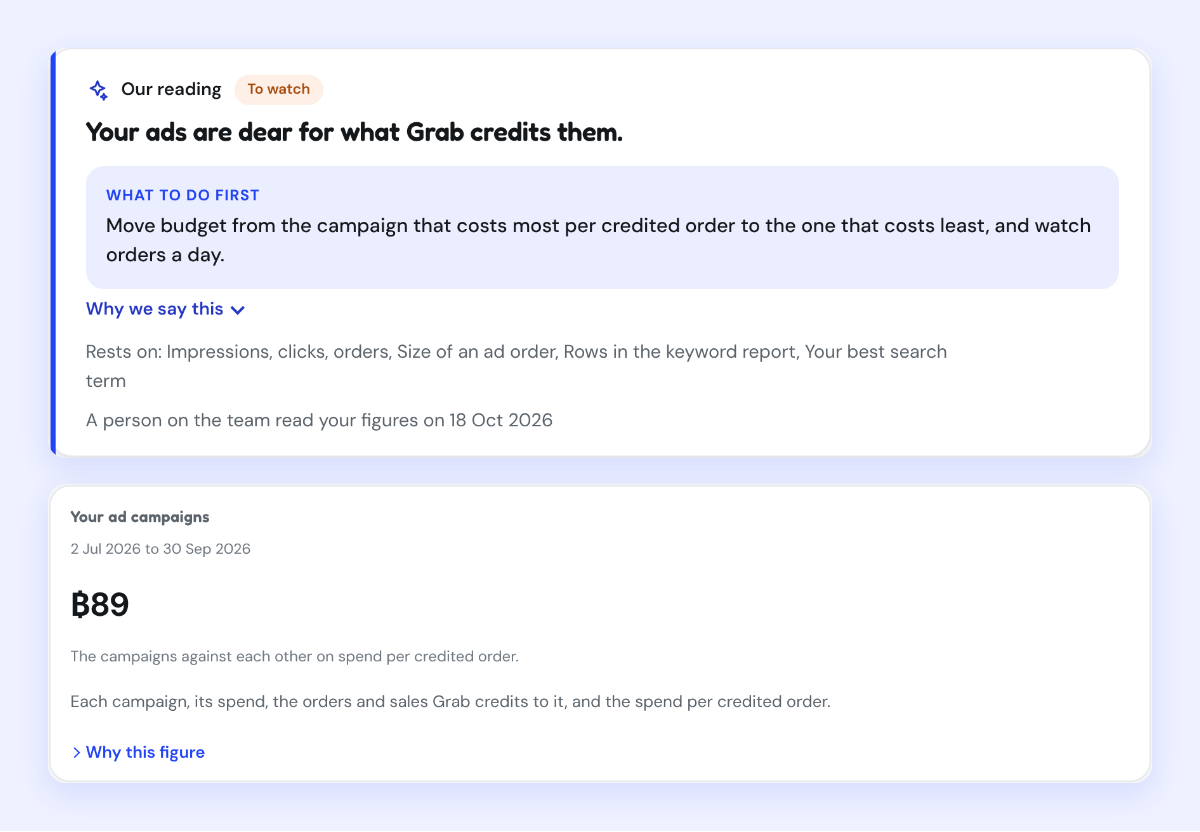
Grab recommends the Automatic option, which adjusts the cost per order in real time; if you choose Manual and set a fixed maximum, Grab will not optimise the rate during the campaign26. Automatic is a reasonable start for most restaurants. Manual is worth it when you know exactly what an order leaves you, because then your maximum cost per order can be set from your own numbers instead of the auction's.
Whichever you choose, the bid is the one figure you control. Set it from what an order is worth to you, read your report every week, and adjust: that is how you grow on Grab with ads that pay for themselves.