
On Grab Merchant, most of what a customer sees of your restaurant is yours to change: the menu, the prices, the dish photos, the categories, the opening hours and the public phone number, from the Grab Merchant app or the portal. A few changes are checked by Grab before they show, such as a new store name or a new store photo. A few more go through Grab's form or support team, and some are set by Grab alone. Grab's Thai help centre draws that line itself: it first lists the store information you can self serve change via the app1, then the store information you need to submit a change request via the form2.
This guide covers Singapore, Malaysia, Thailand, the Philippines, Vietnam and Indonesia. The tools are the same across them, but some limits differ by market, and where they do, the guide names the market.
What can you change yourself, and what goes through Grab?
Every change on your account falls into one of three kinds.
- Changes that apply when you save. What is sold out, your opening hours, the Busy and Pause settings at the rush, your public phone number.
- Changes you make that Grab reviews before they show. A new store name: to prevent brand impersonation, Grab approves every name change3. A new list photo or banner: Grab's system reviews it within 1 to 3 business days4. Menu edits are yours to make: in Singapore, Grab says they are made directly in the app or the portal, and no longer through the request form5. But Grab Thailand states that all menu update requests require internal review and approval6, and Grab Malaysia asks you to allow 2 to 3 working days before menu changes show in the Grab app7.
- Changes only Grab makes, or makes on your request. How orders are accepted, the quality figures Grab grades a store on, deleting a reply to a review, and in some markets the store name. They are listed further down.
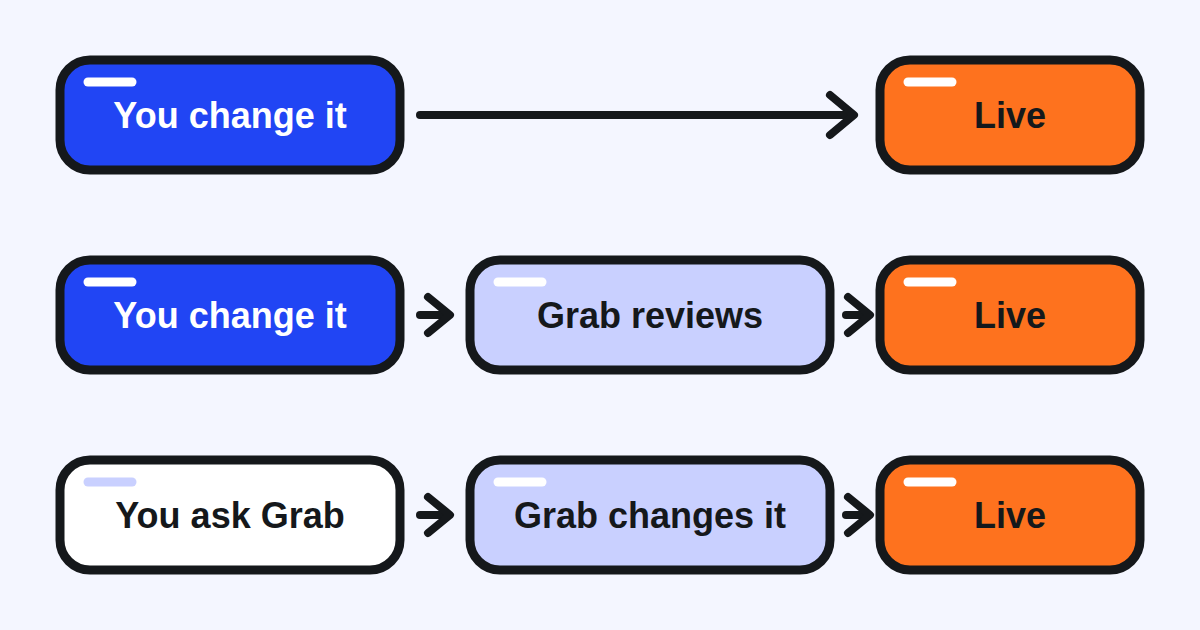
What to do: before you write to support, check whether the change is one you can make yourself. Grab's Philippine help centre puts it simply: you can make some changes directly in the app, saving you time8.
Which store details can you change in the app?
Contacts. Who can change what depends on the role you log in with. Only those with the Owner role can update the owner's contact9. Keep in mind that changing it for one store updates it for every store linked to the account10, and the change is applied within 24 hours11. The store's phone number can be changed by an owner or a store manager, and it is the public number customers see on your store page12, so it is the one to check first after any change of staff.
Address. In Thailand and Singapore, you enter the new address in the app, move the pin to the exact location of your entrance13 and pick the date the move goes live. In Thailand, changes take effect at 7:00 am on that date, and large distance moves may need manual approval from Grab14. In Singapore, a lead time of one to two days may be required15 and changes take effect at 9am16. Grab Thailand allows up to two successful address changes a month17. In Vietnam, once approved, the new address applies from 7:00 in the morning of the day you chose18. In Indonesia, there is no need to contact Grab Support or fill in a form for a move of less than 800 metres19; for a move of more than 800 metres, an owner or a manager fills in Grab's form20.
Store name. In Thailand and Singapore, you change the name in the app and Grab approves it3, with up to two successful name changes a month21. In Thailand, the name must always include the store area22, in the form "store name - store area". Vietnam differs in three ways: the in-app update is open to individual partners only23, and household businesses and companies use a signed form instead; each store may change its name or address at most twice a month24; and Grab does not change the name or address of a new store during its first 60 days25. In Malaysia, a new outlet name is a request: you send it and Grab makes the change26. In Indonesia, a name change is a form with documents that depend on the type of merchant27.
Photos and labels. The list photo and the banner are uploaded from the app, then reviewed4. Cuisine and dish labels are chosen in the app: Grab's system recommends relevant cuisine tags and dish labels from your menu28, and if none fits, you can suggest new labels29.
What to do: keep the owner's contact and the public phone number current. Before a move or a new name, count the review days and the monthly limit, and plan the change for a quiet day.
What can you change on your menu yourself?
The whole menu: add an item, edit it, delete it, move it, create or rename a category, and change the order of both. Grab says so in Thailand30, in Singapore5 and in Malaysia, where it calls the tool the Merchant Menu Editor31. Indonesia's help centre walks through the same steps in the app and on the portal, and adds that if you do not write the translations of your menu yourself, Grab adds them automatically with the help of artificial intelligence32. The Philippine help centre also keeps a page for menu changes made on request, which Grab answers by email within three to five working days33.
A few rules are worth knowing before you edit.
- Photos. You can upload up to 4 photos for each menu item34.
- Prices. You can set different prices for different order types35, delivery and self pick-up for example. Grab strongly recommends menu prices that are the same as your in-store prices36. Two markets state a firm rule. In Singapore, a markup on the portal must not be more than 20% of the in-store price37. In the Philippines, GrabFood follows a no-markup policy on menu prices38. The help pages read for Thailand, Malaysia, Vietnam and Indonesia state no cap: if you price delivery differently from your dining room, read what your contract says first.
- Sold out. Mark a dish "Out of Stock today" to make it unavailable for one day39, or "Out of Stock indefinitely" to keep it unavailable until you add it back40. Neither deletes the dish.
Three edits cannot be taken back. Deleting a category deletes all its items with it41. A bulk upload of the menu file cannot be reversed, which is why Grab asks you to download your menu first as a backup42. In Malaysia, copying one outlet's menu to other outlets cannot be undone once completed43.
What to do: mark a dish sold out rather than deleting it, download the menu before any bulk change, and compare your delivery prices with your in-store prices once a quarter.
How do you change your hours, or slow orders down at the rush?
Opening hours are changed by a user with the Owner or Store Manager role44. Special hours, for a holiday or a closure, sit beside your regular hours, and the app goes back to your regular schedule once the period ends without any reset on your side45. Grab Thailand lets you schedule them up to 3 months in advance46; Grab Singapore, up to 60 days in advance47. If your menu changes through the day (breakfast, lunch, dinner), Grab Singapore warns that menu hours do not adjust on their own to longer opening hours, which can confuse customers48: change both.
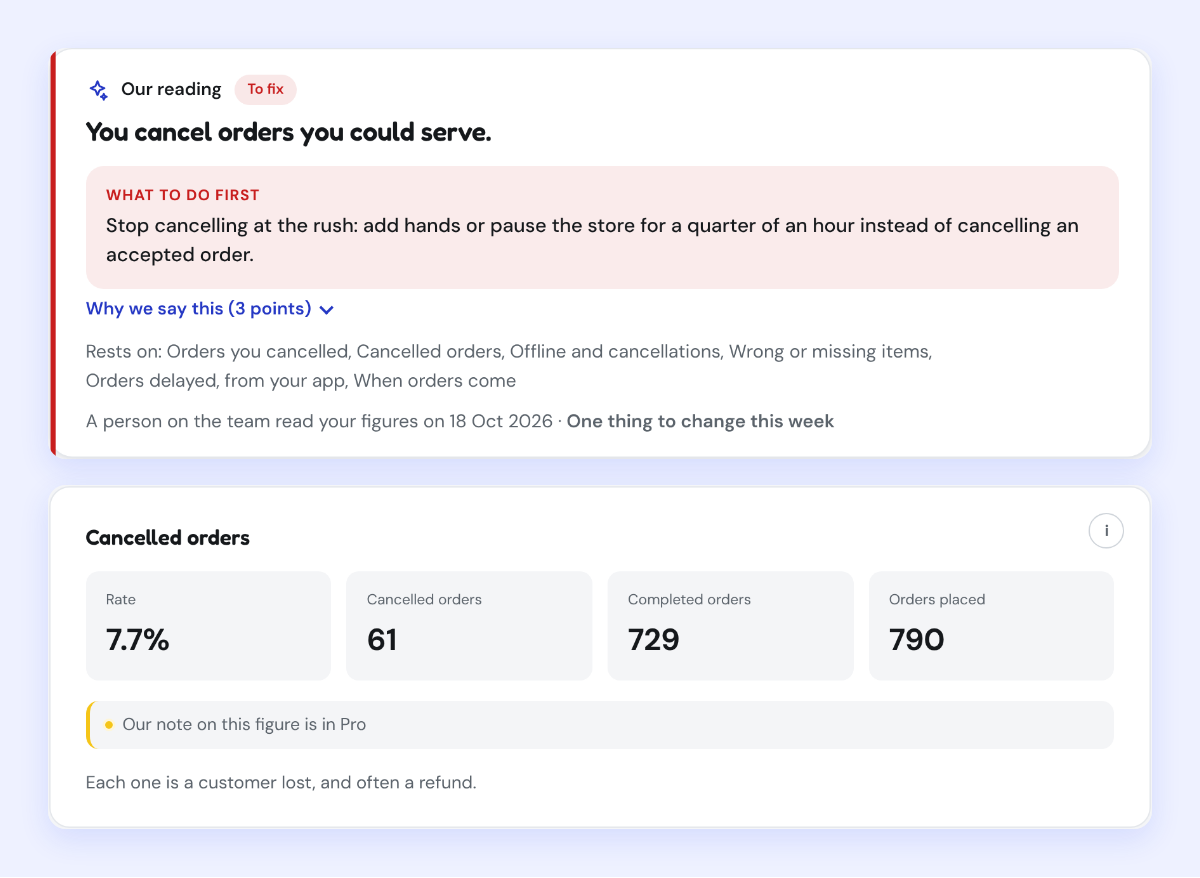
At the rush, you have two settings, and they do not have the same cost. Busy gives your kitchen more time to prepare orders while keeping your store open49. Pause stops new orders for 30 minutes, 1 hour or 1 day50, and your restaurant appears as temporarily closed in the app51. Grab's own advice on its quality programme is direct: pausing helps you catch up with orders, but it also raises your offline rate52, so use Busy mode to slow new orders53. Whichever you use, remember to switch back to Normal54 once the rush is over.
What to do: set Busy before the rush you know is coming, keep Pause for the moment the kitchen cannot take one more order, and never cancel an accepted order that a few more minutes would have saved.
What can only Grab change?
Some settings are Grab's, and knowing which saves a request that cannot succeed.
- How orders are accepted. Grab Thailand puts a store in Manual Accept mode because it has had more cancellations, expiries or rejections than its standards allow55. Merchants cannot opt into it56, and stores in this mode are reviewed monthly, based on Grab's internal policies57. The way back to automatic acceptance is fewer cancellations.
- Quality figures. The completion score, the number of orders, avoidable cancellations, the offline rate and the order delay rate are calculated from your store's transaction data, and no appeal is available58. Ratings and incidents, by contrast, can be appealed in the app59. The first can only be improved.
- Reviews. You reply to a delivery review yourself and can edit the reply within 72 hours of its first submission60. Deleting a reply goes through a form, and Grab Support removes it within 5 business days61. When you report a review, Grab assesses it and removes it if it breaks its rules62, but it will not remove reviews that give an opinion on the items ordered63: taste, portions, packaging or price. Those call for a reply.
- Your business entity. In Singapore, if your business registration number changes, Grab registers you as a new merchant64, with an onboarding form and a new contract65.
- Several stores at once. In Singapore, a name or address change for several outlets goes through a form, and Grab's agents make it66.
What should you check this month?
- The owner's contact and the public phone number, in the app, for every store you run.
- Your menu: sold out dishes marked rather than deleted, every item with a photo, delivery prices compared with your in-store prices and with your market's rule.
- Your special hours for the next holiday, entered before the day, and your menu hours if they differ from your opening hours.
- How often you paused last month, and whether Busy would have served instead.
- Any change still waiting for Grab's review: a name, a photo, a menu update.
Kontimo helps people running restaurants on Grab read their account each month, explained in plain language, so the next change is the one that matters.