
Articles Sign in

Kontimo helps restaurants perform on Grab. Your Grab figures explained, the other members, free.

Guides & newsArticles

Menu structureArticle8 min read

GrabFood menu: which categories to put first

How to order the categories of your GrabFood menu: the order Grab recommends, what research says about a dish's position, and how to rearrange it in the app.

Singapore, Malaysia, Thailand, Philippines, Vietnam, Indonesia. By Kontimo

A delivery menu with its categories, one category card lifted into the top slot: ordering the categories of a GrabFood menu

The order of the categories on your GrabFood menu is yours to set, and it decides what a customer sees before they start to scroll. Grab Vietnam's help centre gives the order it recommends: new dishes, best sellers and dishes on promotion first1, then the main dishes2, then sides, accompaniments and drinks3. The help centres of Grab's other markets explain how to move categories, not which order to choose, and no Grab page says by how much the order changes sales. Research on menus does show that where a dish sits changes how often it is chosen, so the top of your menu is worth deciding on purpose.

This guide covers Grab in Singapore, Malaysia, Thailand, the Philippines, Vietnam and Indonesia. The steps are the same everywhere; only the names of a few buttons change from one market's help centre to the next.

What is a category on a GrabFood menu?

A category is a heading that groups dishes. Grab's Singapore help centre describes it as a group of items, such as main dishes, side dishes, desserts or drinks, "useful for organising your menu items, so consumers can easily find what they want"4. Malaysia's help centre uses almost the same words5. Thailand's adds a tip: organise items into appropriate categories, such as main courses, beverages and desserts6. Indonesia's guide calls a category a feature that groups food of the same kind, to make the menu easier to put together7.

Two details change how you use them. A category can have its own hours: when you create one, you select the time it is available on your menu8, so a breakfast category does not need to sit at the top of your menu all day. And a category takes its dishes with it: Grab's steps warn that confirming the deletion permanently removes the category and all its items9. Move the dishes you want to keep before you delete a category.

What to do: write down your categories as a customer would say them (rice, noodles, drinks), not as your kitchen names its stations.

In what order should the categories go?

Grab Vietnam answers this one directly. In its help centre article on setting up a menu, Grab tells restaurants to arrange their categories in an order that draws customers in10:

  1. New dishes, best sellers, or dishes on promotion1.
  2. The main dish categories2.
  3. Side dishes, accompaniments and drinks3.
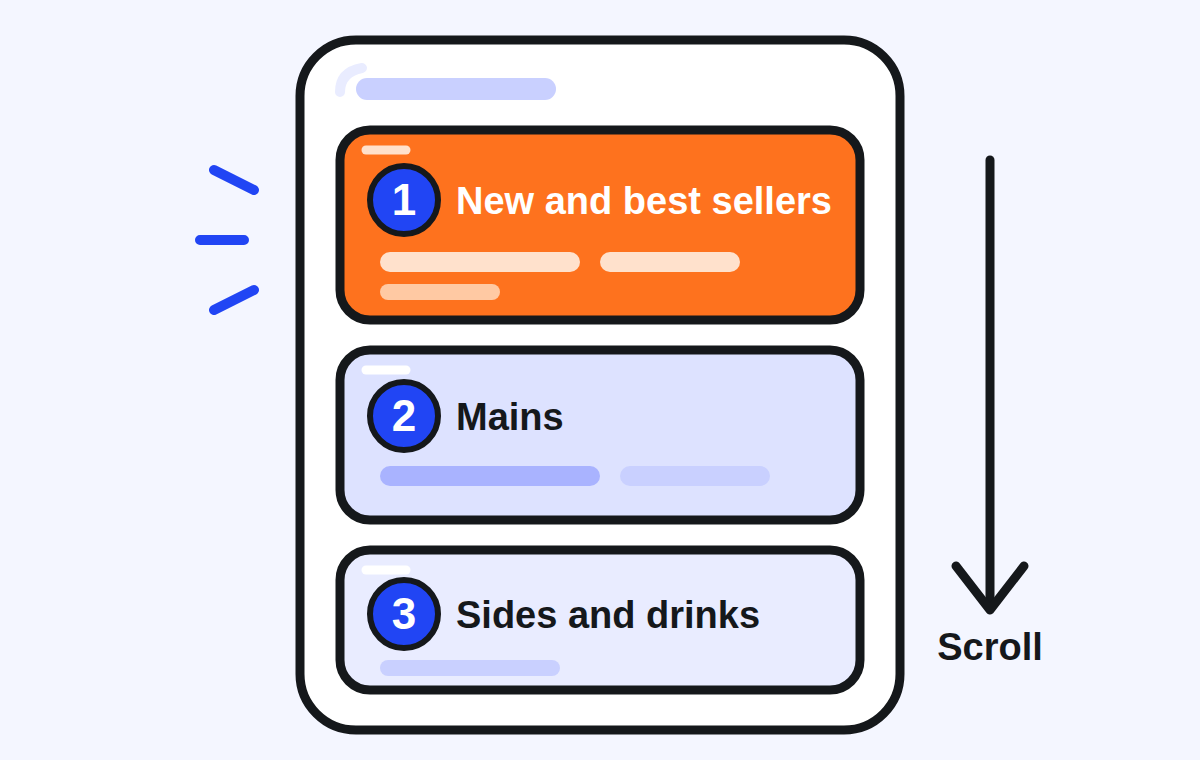
A phone menu with three categories in order: new and best sellers highlighted at the top, then mains, then sides and drinks, with an arrow showing the scroll
The order Grab Vietnam's help centre recommends: what you most want to sell at the top, then mains, then sides and drinks

Grab publishes this advice in Vietnamese, as an image in its help centre. The other five markets' help centres show how to move categories and leave the order to you. The reasoning travels well, because a customer browses your store as one list from top to bottom: the first category is the one every visitor sees, and the last one is seen only by those who scroll that far.

What to do: make your first category short, with the dishes you most want to sell, whether they already sell well, are new, or carry an offer. Then put the main dishes before everything that goes with them.

Why does the position of a dish change what customers order?

The research is about dishes inside a category, not about whole categories, and it points one way.

In two studies of menu positions published in June 201111, one in a laboratory and one with real customers in a café in Tel Aviv12, items placed at the beginning or the end of the list of their category options were up to twice as popular as when they were placed in the centre of the list13. Across both studies, the authors found that placing an item at the beginning or end of its category increased its popularity by about 20%14.
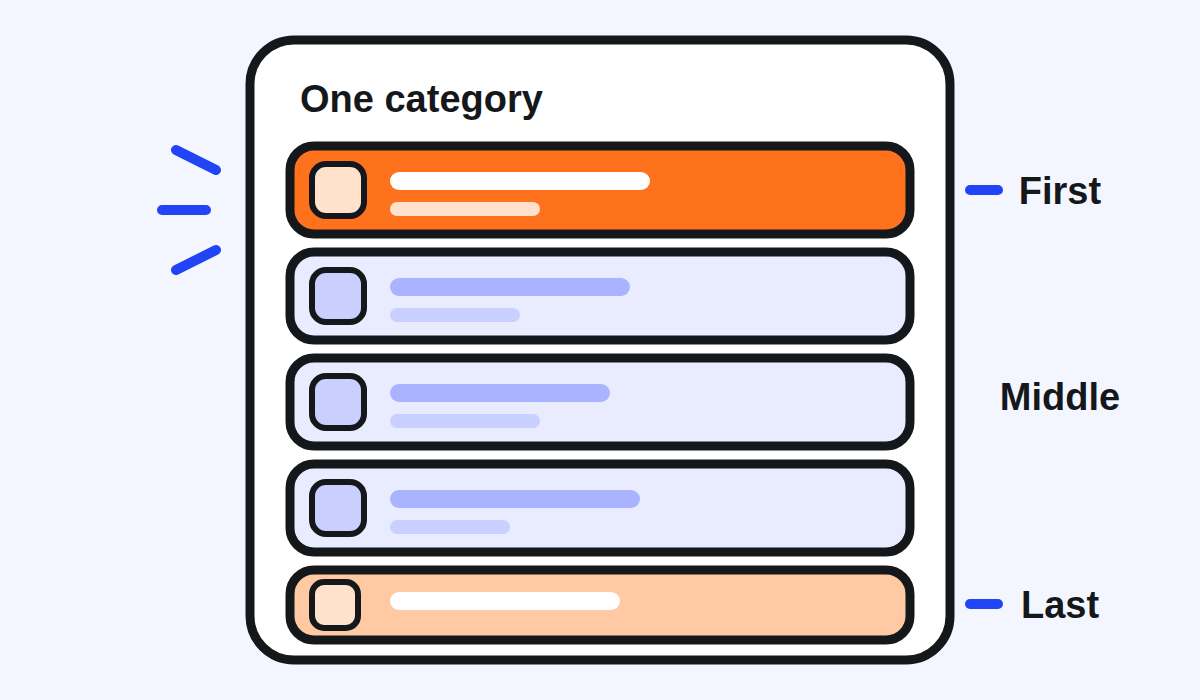
One menu category with five dishes: the first and the last places highlighted, the three in the middle plain
Within a category, the first and the last places were chosen more often than the middle in a 2011 menu study

A closer test of delivery apps came in 2023. In the United Kingdom, 9,003 adults who use food delivery platforms chose a meal on a simulated delivery platform15, in a study published on 19 May 202316. Moving dishes up or down within their categories changed what went into the basket: listing lower energy dishes first within each category cut the energy of the basket by 88 kcal compared with a random order17. Their aim was healthier choices, but the finding for a restaurant is the same: the order inside a category changes what is chosen.

What no study we found has tested is the order of whole categories. The same trial says so: dishes were reordered within their categories, but the order of the categories themselves was not changed, starters first, then mains18. The authors also note that customers may adapt and learn to scroll further to find the dishes they like19. A wider review of the research on where food is placed found that the change worked in sixteen of eighteen studies20.

What to do: inside each category, put the dish you most want to sell first. Keep the last place for a good dish too, not for the one you would rather nobody noticed.

How do you choose what goes at the top?

Use your own numbers rather than a guess. In Singapore, Grab's Insights show your gross sales, total orders and best-seller items21. In Thailand, Menu Insights ranks your top-performing items by units sold, sales and share of sales, over up to 90 days22, and suggests popular combinations of items you can turn into combos23. Grab Vietnam announced its menu analytics on 22 July 202024 and said what they are for: improving the menu by changing photos, descriptions and even the position of dishes to suit customers25.

Look at two lists before you decide: the dishes that sell most, and the dishes that leave you the most per order. A dish that is on both lists belongs at the top. A new dish or a dish on promotion can join it there for as long as it is new or on offer, as Grab Vietnam suggests1.

Then change one thing at a time. Move a category, leave it for a few weeks, and compare the same report before and after. If several things change at once, you will not know which one worked.

How do you rearrange categories in the GrabMerchant app?

Grab's Singapore help centre gives the steps in the GrabMerchant app. Tap the Menu tile, tap the three dots at the top right corner of your screen26, then tap Reorder catalogue27. Tap and hold the three lines icon beside the category you want to move and shift it to its new place28, then tap Done to confirm the reorder29. On the GrabMerchant portal, go to Menu, then Menu Overview, and click the three dots beside Categories30. To move dishes inside a category on the portal, click the three dots on that category and choose Rearrange items31.

The other markets describe the same tool. Malaysia's help centre reaches it through the (+) button and a step named Rearrange32. The Philippines' version reads: tap the three dots, select Reorder catalogue, and drag items or categories33. Indonesia's calls the step Susun ulang katalog34, reorder catalogue. The Philippine help centre adds a reminder worth following everywhere: refresh your app to see the changes35. Then open your store in the Grab app as a customer would, and check the order there.

How many categories should a GrabFood menu have?

No Grab page in the sources this guide relies on sets a number, and the research we found gives no threshold for a delivery menu. What Grab does say is what categories are for: so that customers can easily find what they want4. That is the test to apply.

  • A category with a single dish is usually better merged into a neighbour.
  • A category so long that its last dishes sit far down the screen can be split, for example rice dishes and noodle dishes instead of one list of mains.
  • A category that only applies at some hours, such as breakfast, can be given its own hours8 instead of taking space all day.

What should you check this week?

  • Your first category: does it hold your best sellers, a new dish or a dish on offer?
  • The order after it: mains before sides, accompaniments and drinks.
  • The first dish of each category: is it the one you most want to sell?
  • The last dish of each category: a good dish, not a forgotten one.
  • Your Insights: which dishes sell most, and which ones nobody orders.
  • Your store in the customer app, after a refresh, to see what customers see.

Kontimo helps people running restaurants on Grab read their menu each month, explained in plain language: which dishes sell, which never do, and what to change first.
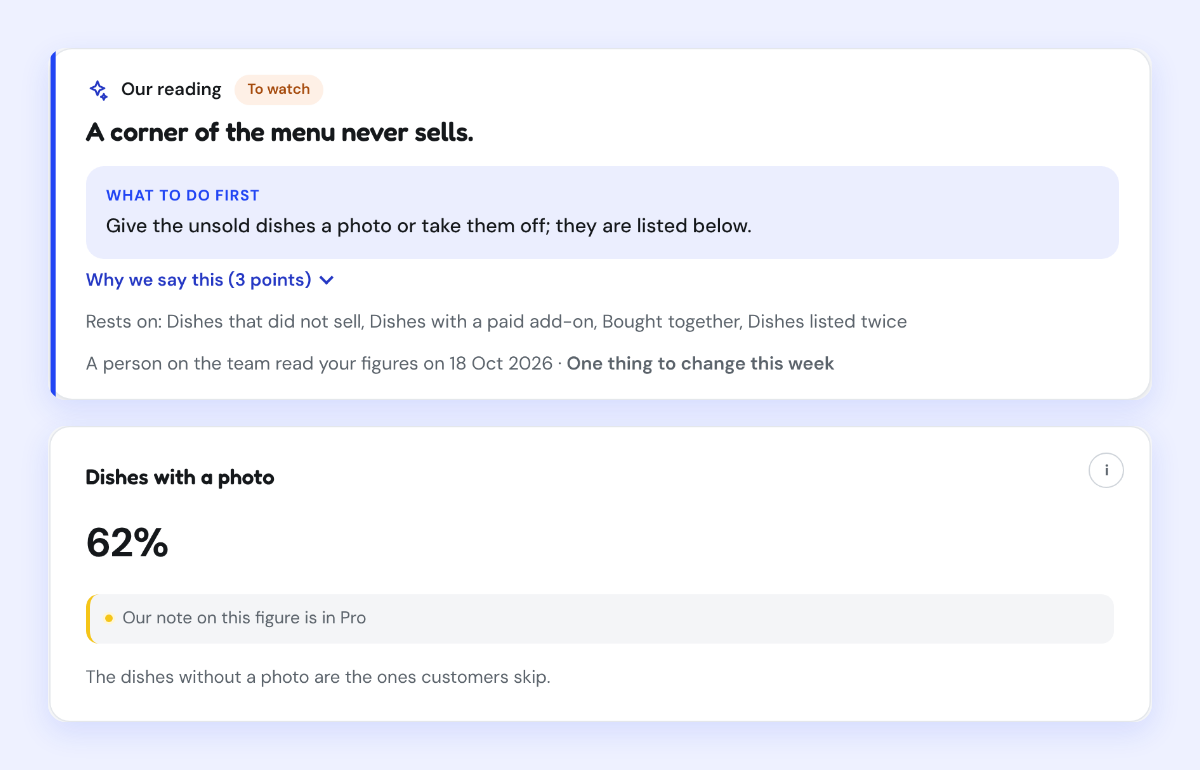
A Kontimo screen reading a menu where a corner never sells, with the share of dishes that have a photo
In Kontimo's demo account, with invented figures: the reading of a menu with a corner that never sells.
Sources 35 documents, every figure traceable to one
  1. Image of help article 29538004651545 (vi-vn): 1.2 Hướng dẫn thiết lập thực đơn hiệu quả, I. Cách sắp xếp danh mục thực đơn (how to order the menu's categories), text read off the image (read on 2026-10-21)1. “Món mới”/ “Món Bán chạy” (Best Seller)/ món có “Khuyến mãi”
  2. Image of help article 29538004651545 (vi-vn): 1.2 Hướng dẫn thiết lập thực đơn hiệu quả, I. Cách sắp xếp danh mục thực đơn (how to order the menu's categories), text read off the image (read on 2026-10-21)2. Các danh mục “Món chính”
  3. Image of help article 29538004651545 (vi-vn): 1.2 Hướng dẫn thiết lập thực đơn hiệu quả, I. Cách sắp xếp danh mục thực đơn (how to order the menu's categories), text read off the image (read on 2026-10-21)3. Các danh mục “Món phụ”/“Món ăn kèm”/“Thức uống”
  4. Manage items and categories in your menu (Grab merchant help centre, Singapore), text of the article (read on 2026-10-21)A group of items (e.g. main dish, side dish, dessert or beverages) useful for organising your menu items, so consumers can easily find what they want.
  5. Manage items and categories in your menu (Grab merchant help centre, Malaysia), text of the article (read on 2026-10-21)so customers can easily find what they want
  6. Manage items and categories in your menu (read on 2026-09-28)Organize items into appropriate categories, such as main courses, beverages, and desserts
  7. Panduan Membuat Menu (Item, Kategori, dan Foto) di Aplikasi GrabMerchant (read on 2026-09-02)Fitur yang mengelompokan makanan yang sama jenisnya sehingga dapat mempermudah saat penyusunan menu
  8. Manage items and categories in your menu (Grab merchant help centre, Singapore), text of the article (read on 2026-10-21)Select the time this category will be made available on your menu.
  9. Manage items and categories in your menu (Grab merchant help centre, Singapore), text of the article (read on 2026-10-21)To proceed with permanently deleting this category and all its items, tap Delete.
  10. Image of help article 29538004651545 (vi-vn): 1.2 Hướng dẫn thiết lập thực đơn hiệu quả, I. Cách sắp xếp danh mục thực đơn (how to order the menu's categories), text read off the image (read on 2026-10-21)Để có thực đơn bắt mắt, Đối tác nên bố trí danh mục thực đơn theo thứ tự
  11. Nudge to nobesity II: Menu positions influence food orders (read on 2026-09-02)June 2011
  12. Nudge to nobesity II: Menu positions influence food orders (read on 2026-09-02)real customers in a Tel Aviv café
  13. Nudge to nobesity II: Menu positions influence food orders (read on 2026-09-02)Items placed at the beginning or the end of the list of their category options were up to twice as popular as when they were placed in the center of the list.
  14. Nudge to nobesity II: Menu positions influence food orders (read on 2026-09-02)placing menu items at the beginning or end of their category increases their popularity by about 20%
  15. The impact of altering restaurant and menu option position on food selected from an experimental food delivery platform (Bianchi et al., 2023), text of the article (read on 2026-10-21)UK adult food delivery platform users (N = 9,003) selected a meal in a simulated platform.
  16. The impact of altering restaurant and menu option position on food selected from an experimental food delivery platform (Bianchi et al., 2023), text of the article (read on 2026-10-21)Published: 19 May 2023
  17. The impact of altering restaurant and menu option position on food selected from an experimental food delivery platform (Bianchi et al., 2023), text of the article (read on 2026-10-21)repositioning foods based on their energy content (-88kcals; 95% CI: -130, -45)
  18. The impact of altering restaurant and menu option position on food selected from an experimental food delivery platform (Bianchi et al., 2023), text of the article (read on 2026-10-21)Food items were randomly ordered within food categories, but the order in which food categories appear was not randomised (e.g. starters presented first, followed by mains, etc.).
  19. The impact of altering restaurant and menu option position on food selected from an experimental food delivery platform (Bianchi et al., 2023), text of the article (read on 2026-10-21)it is possible that individuals will adapt to changes in their food environment, and learn to scroll further through the list to find favoured items.
  20. Nudging consumers towards healthier choices: a systematic review of positional influences on food choice (read on 2026-09-02)sixteen of the eighteen studies concluded that positional changes had a positive influence on food choice
  21. Quick guide to GrabMerchant Insights (Grab merchant help centre, Singapore), text of the article (read on 2026-10-21)You can view gross sales, total orders, and best-seller items.
  22. Menu Insights new features explained (read on 2026-09-28)Get visibility into your top-performing menu items based on units sold, sales generated, and percentage sales contribution (up to 90 days).
  23. Menu Insights new features explained (read on 2026-09-28)Discover popular menu item combinations to create combo pairings that appeal to your customers.
  24. [GrabFood] Tính năng phân tích số liệu thực đơn (Grab Vietnam merchant blog, 22 July 2020), text of the page (read on 2026-10-21)Thứ Tư Tháng Bảy 22nd, 2020
  25. [GrabFood] Tính năng phân tích số liệu thực đơn (Grab Vietnam merchant blog, 22 July 2020), text of the page (read on 2026-10-21)Từ đó có thể tối ưu thực đơn bằng cách thay hình ảnh, miêu tả thậm chí vị trí của các món sao cho phù hợp với Người dùng.
  26. Manage items and categories in your menu (Grab merchant help centre, Singapore), text of the article (read on 2026-10-21)Tap the three dots at the top right corner of your screen.
  27. Manage items and categories in your menu (Grab merchant help centre, Singapore), text of the article (read on 2026-10-21)Tap Reorder catalogue.
  28. Manage items and categories in your menu (Grab merchant help centre, Singapore), text of the article (read on 2026-10-21)Tap and hold the three lines icon beside the category you want to rearrange and shift accordingly.
  29. Manage items and categories in your menu (Grab merchant help centre, Singapore), text of the article (read on 2026-10-21)Tap Done to confirm the reorder.
  30. Manage items and categories in your menu (Grab merchant help centre, Singapore), text of the article (read on 2026-10-21)go to Menu > Menu Overview > click on the three dots beside Categories.
  31. Manage items and categories in your menu (Grab merchant help centre, Singapore), text of the article (read on 2026-10-21)Under the category with the item you want to rearrange, click on the three dots > Rearrange items.
  32. Manage items and categories in your menu (Grab merchant help centre, Malaysia), text of the article (read on 2026-10-21)Tap Rearrange.
  33. Manage items and categories in your menu (Grab merchant help centre, the Philippines), text of the article (read on 2026-10-21)Tap the three dots, select Reorder catalogue, and drag items/categories.
  34. Kelola item & kategori untuk menu GrabFood (Grab merchant help centre, Indonesia), text of the article (read on 2026-10-21)Pilih Susun ulang katalog
  35. Manage items and categories in your menu (Grab merchant help centre, the Philippines), text of the article (read on 2026-10-21)Don’t forget to refresh your app to see the changes!

Every figure above comes from one of these documents, as it stood on the date given. Your own contract and statements are the figures that count for your restaurant.

Open your free space

Three questions. Your space opens at once.

This is how you sign in. There is no password to choose.

Is it already on Grab?

Already have a space? Sign in

Get the week on Grab by email

Three questions: your free space opens, and the letter comes every Monday. No card.

This is how you sign in. There is no password to choose.

Is it already on Grab?

Already have a space? Sign in