
The daily budget of GrabFood ads is the average you agree to spend each day, not a hard limit. When you create an ad in the GrabMerchant app, Grab draws your cost per order charges from your daily budget, which it defines as the average amount you will spend daily during the campaign1. A given day can cost up to 30% more: Grab's own example is a $10 daily budget charged up to $13 on a given day2. Together with your cost per order, the budget decides how many orders your ad can receive in a day3. So the right amount does not start from what feels affordable. It starts from what an order leaves you and how many more orders a day your kitchen can serve.
This guide covers Singapore, Malaysia, Thailand, the Philippines, Vietnam and Indonesia, from Grab's merchant help centre in each. How the auction sets the price of an order is a separate subject; this guide is about the amount you put behind it.
What does the daily budget decide?
Three things.
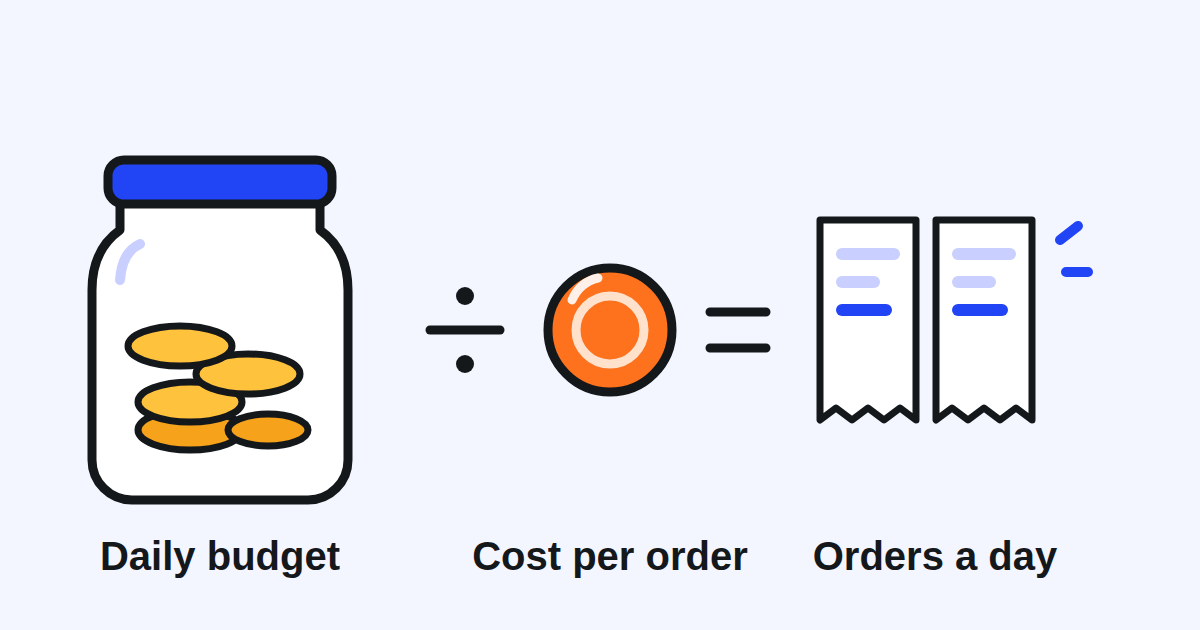
How many orders your ad can bring. Each order the ad brings is charged at a cost per order, and those charges are drawn from the daily budget1. Divide the budget by your cost per order and you have, roughly, the number of orders a day the ad can pay for3.
How often your ad is shown. Grab displays your ad to its target customers based on their location, the time and the ad budget you set4. Other ads can be shown before yours because they are more relevant or because other merchants set higher budgets5. And your ad is shown only during your store's operational hours6, so a budget does nothing while your store is closed on the app.
How the bid moves, if you let Grab set it. With the Automatic option, the system sets your bid dynamically to maximise conversions based on your daily budget7. Your budget then steers both how much you spend and how hard the system bids.
How do you choose a daily budget for your restaurant?
Work it out from your own numbers, in four steps.
- What an order leaves you before the ad. Take your average order on GrabFood and subtract the commission, the food and the packaging. Your maximum cost per order has to sit below that amount, or each order the ad brings costs you money.
- How many extra orders a day you want, and can serve. An ad that brings orders your kitchen cannot prepare at the rush turns into late orders and cancellations.
- Multiply. Extra orders a day times your maximum cost per order gives your daily budget. As an example in round figures: 10 extra orders a day at a maximum of 10 per order is a daily budget of 100.
- Plan for the busy day. Grab uses a soft daily cap that lets spend go up to 30% higher on high opportunity days, and lower on slower days8. On the example above, a single day can be charged 130. Make sure that day is one you can afford.
The real cost of each order is often lower than your maximum: Grab's Thai help centre explains that the actual charge per order can be slightly less than or equal to the maximum you set, because it is decided by bidding9. When that happens, the same budget pays for more orders.
The minimum. In Thailand, there is a minimum of THB 100 for the daily budget10. Grab's help centre states no minimum in the other five markets: no minimum spend in Singapore11, no minimum threshold in Malaysia12, no minimum spend in the Philippines13, no minimum budget to create an ad in Vietnam14, and no minimum spend in Indonesia15.
Why should your campaign have an end date?
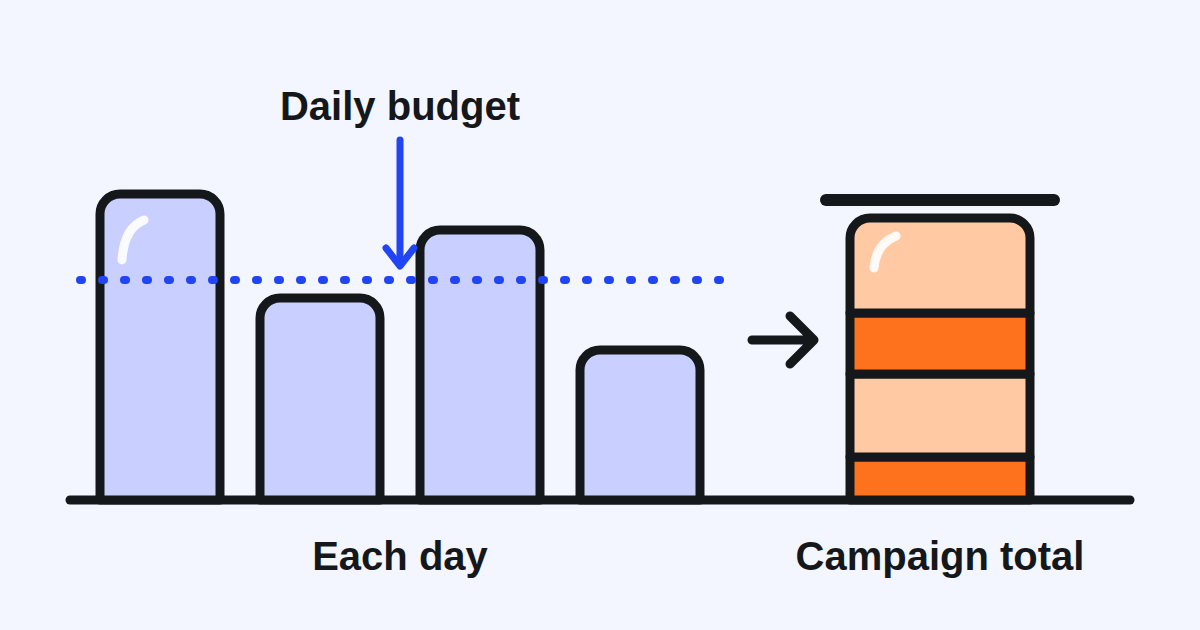
Because an end date gives your campaign a total, and the total holds even when a day runs over.
Grab's Thai help centre states that you will not be charged more than the total budget for the campaign period16. Its example: a daily budget of 100 THB for a 4 day campaign makes a total campaign budget of 400 THB17, and the system stops the advertisement once that total is reached18. Grab's Vietnamese help centre writes the same rule as a formula: the campaign's maximum budget equals the average daily budget times the number of days the campaign runs19.
An always on campaign, with no end date, has no period to multiply by, and Grab's pages describe no total for it. Grab's Vietnamese help centre says that with an always on campaign, your daily ad spend can still exceed the daily budget by around 30%20, and it encourages merchants to set a specific duration for their campaigns, to keep control of costs and measure results clearly21. It adds that shortening a campaign can affect its ability to keep to its maximum budget22.
What to do: give every new campaign an end date. Two weeks is a good first length, because Grab recommends running campaigns for at least 14 days23, so the system has time to learn.
Can you change the budget once the campaign runs?
You can raise it. You cannot lower it. In Singapore, the Philippines and Thailand, Grab's help centre states that you cannot edit the start date or reduce the budget of an active campaign242526; Indonesia's says the same, adding that you can only increase an ad's budget, not reduce it27. What you can always do is pause a running campaign, resume it later, or end it28.
That shapes how to start. Begin with the budget you are sure of. If the first week's orders leave you more than they cost, raise it. If they do not, pause or end the campaign rather than wait for it to improve.
In Singapore, Grab's help centre says the app sends recommendations to improve a campaign, and one of them is to increase budgets to get more orders29. It is a fair suggestion when your numbers say each order is worth more than it costs. Check that first, then decide. Grab also recommends running no more than 2 campaigns at the same time30: two budgets are easier to read than five.
How will the budget show on your statements?
- Late night spend moves to the next day. Ad spend from 10 PM to midnight, local time, is billed the next day31, so one day's charge can carry part of the night before.
- Charges keep coming for a day after the end. Grab's Malaysian help centre asks you to allow one more day after the campaign for a full accounting of its ad spend32.
- VAT in Thailand. On a 100 THB daily budget charged at its 130 THB maximum, Grab gives a total of around 139.1 THB after 7% VAT33.
- Several outlets on one campaign. The budget is shared, and stores generating more orders automatically use a larger portion of it34. If one outlet should get a fixed amount, give it its own campaign.
What should you check before you set it?
- What an average order leaves you after commission, food and packaging, and a maximum cost per order below it.
- How many extra orders a day your kitchen can serve at the rush.
- The daily budget, and the day at 30% more: can you afford that day?
- The minimum in your market, if there is one.
- An end date on the campaign, and two weeks before you judge it.
- Your opening hours on the app: the ad only runs while your store is open.
- After the first week: the orders the ad brought, what they cost, and what they left you. Raise the budget, keep it, or end the campaign.
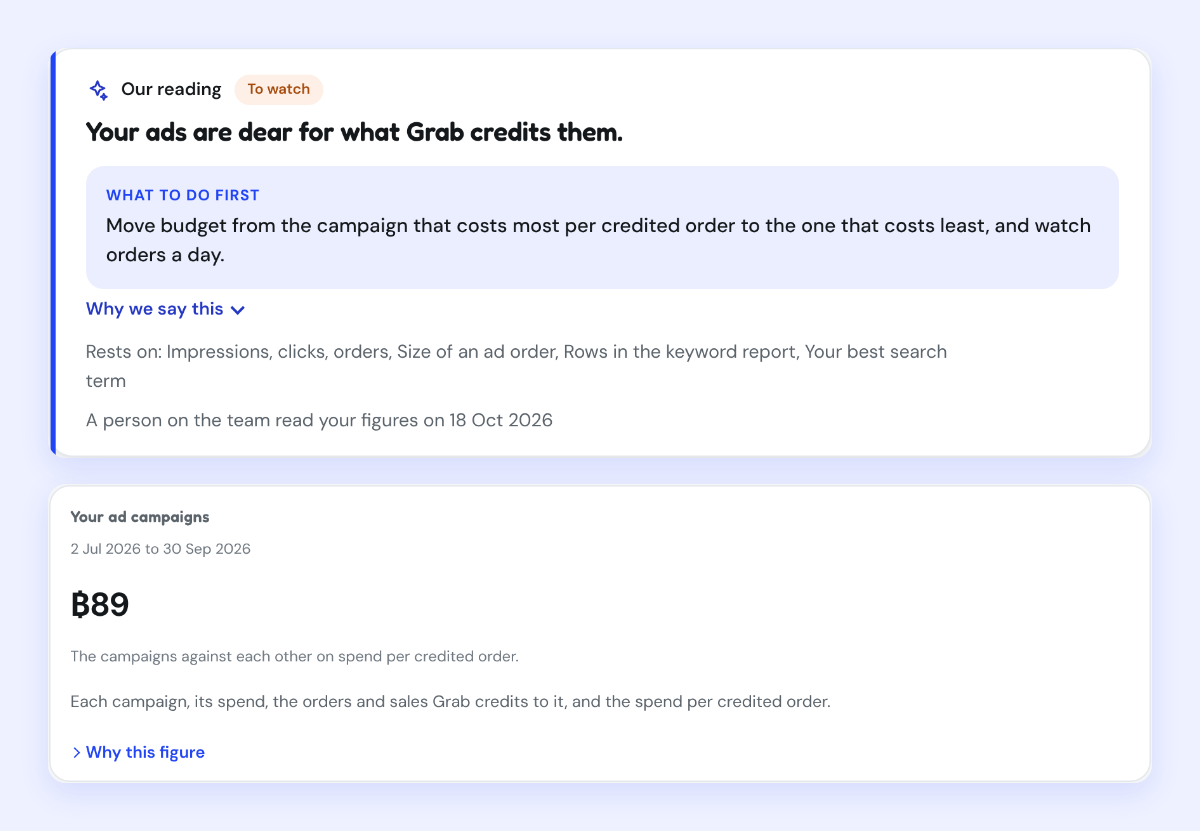
Kontimo helps people running restaurants on Grab read their ad campaigns beside their orders each month, explained in plain language, so the next budget is set from what each order leaves you.