Stop GrabFood ads: pause, end or fix a campaign
How to stop GrabFood ads in GrabMerchant: pause and resume, end for good, what you can still edit, and why Grab pauses your ads itself when ad spend is unpaid.
Singapore, Malaysia, Thailand, Philippines, Vietnam, Indonesia. Published , by Kontimo

To stop GrabFood ads, open the campaign in GrabMerchant and choose Pause or End: you can view, edit, pause or stop a campaign from the app1. A paused campaign can be resumed5; an ended one cannot, and a campaign left paused for more than 60 days is closed for good7. If your ads stopped without you touching them, the usual reason is ad spend left unpaid in your store wallet17, and they come back once it is cleared19. Here is which button to press, and what each one costs you.
Where do you stop a GrabFood ad?
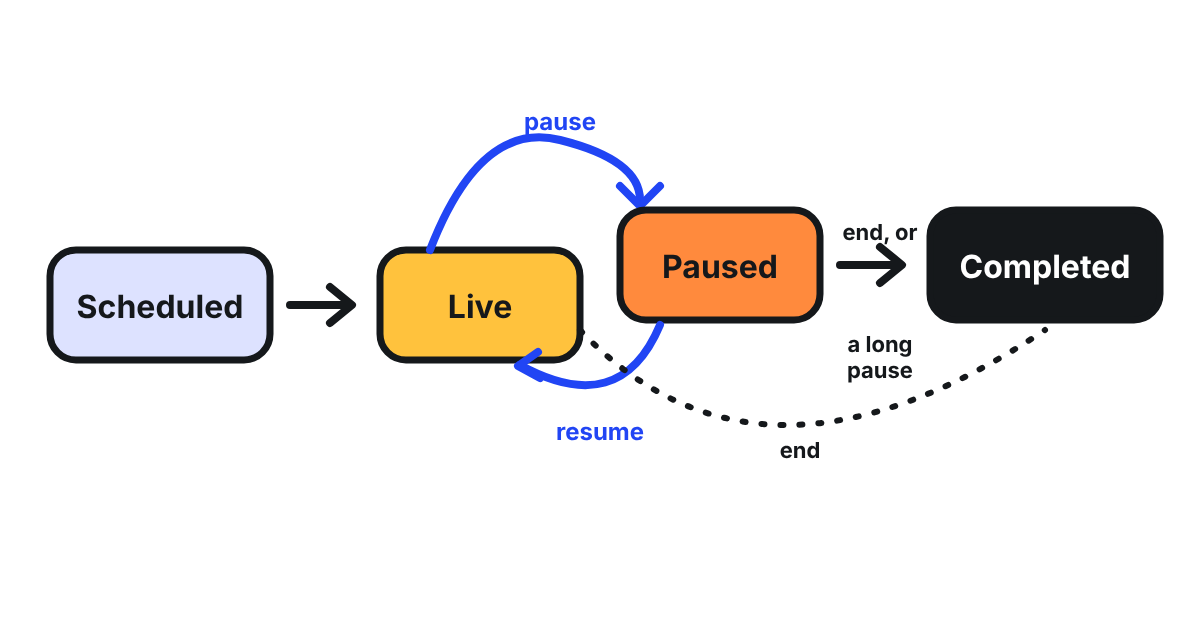
In the GrabMerchant app, tap the Marketing tile on the home screen2, then the Manage tab, which lists all your campaigns3. They are sorted into Live, Paused, Scheduled and Completed515. Open the one you want, tap Campaign Detail, and scroll to the bottom.
Pause or end: which one should you choose?
- Pause when you need a break: a busy week, a kitchen short of staff, a dish out of stock. Tap the red Pause Campaign button4. The campaign moves to Paused, and you resume it later with the same steps5.
- End when the campaign is finished for you. Tap the red End Campaign button6. It moves to Completed and cannot be resumed.
- Delete a campaign that has not started yet: a scheduled campaign can only be deleted9.
A pause is not forever. In Singapore and Malaysia, a campaign paused for more than 60 days is marked Completed and can no longer be resumed78. If you pause for the low season, note the date: past 60 days, you will create a new campaign anyway.
An ended campaign is not lost: its reports, insights and creative assets stay available1516. Read them before you build the next one.
Can you change a campaign instead of stopping it?
Often, yes, and it is the better move when the campaign is close to right. On a live or scheduled campaign you can edit the image ad, the search keywords, the end date, the cost per order and the budget, but the budget only goes up10. The start date cannot be changed once it runs11. For image and search ads you can also change the audience12.
So if an ad costs too much, try fewer or better keywords, a tighter audience or an earlier end date before you end it. If the budget itself is the problem, the only way down is to end the campaign and start a new one with the budget you want.
What about promotions and Grab's campaigns?
They follow other rules. A GrabFood promotion that is running can be stopped but not resumed: you set up a new one13. A Spotlight campaign, one of Grab's own, is stopped by leaving it, and whether you can rejoin depends on that campaign14.
Why did your ads stop on their own?
Usually because your store wallet owes ad spend17. Your ads stop reaching customers until the balance is cleared18. There are two ways to clear it:
- Let your earnings pay it. This is the default in Singapore: your store earnings cover the balance, you may not be able to cash out meanwhile, and ads resume one day after the balance is cleared19. In Indonesia22 and Vietnam24, ads come back within 24 hours of the last deduction.
- Pay by bank transfer. In Singapore, ads resume once the payment is processed, which can take up to a week20. In Malaysia, ask Grab Support for the transfer details21. In Indonesia, if the balance is more than 60 days old, ads come back within 10 days of a bank transfer23.
Credits are spent first. If you hold free ad credits, your ad spend is taken from them before your earnings25, and the rest from your daily store earnings26. Credits expire: use them before their date27.
What should you check this week?
- The Manage tab: every Live campaign still worth running, every Paused one with its pause date.
- Any campaign paused close to 60 days: resume it or let it close, on purpose.
- Your store wallet: no unpaid ad spend that could stop your ads on a busy day.
- Your ad credits and their expiry dates.
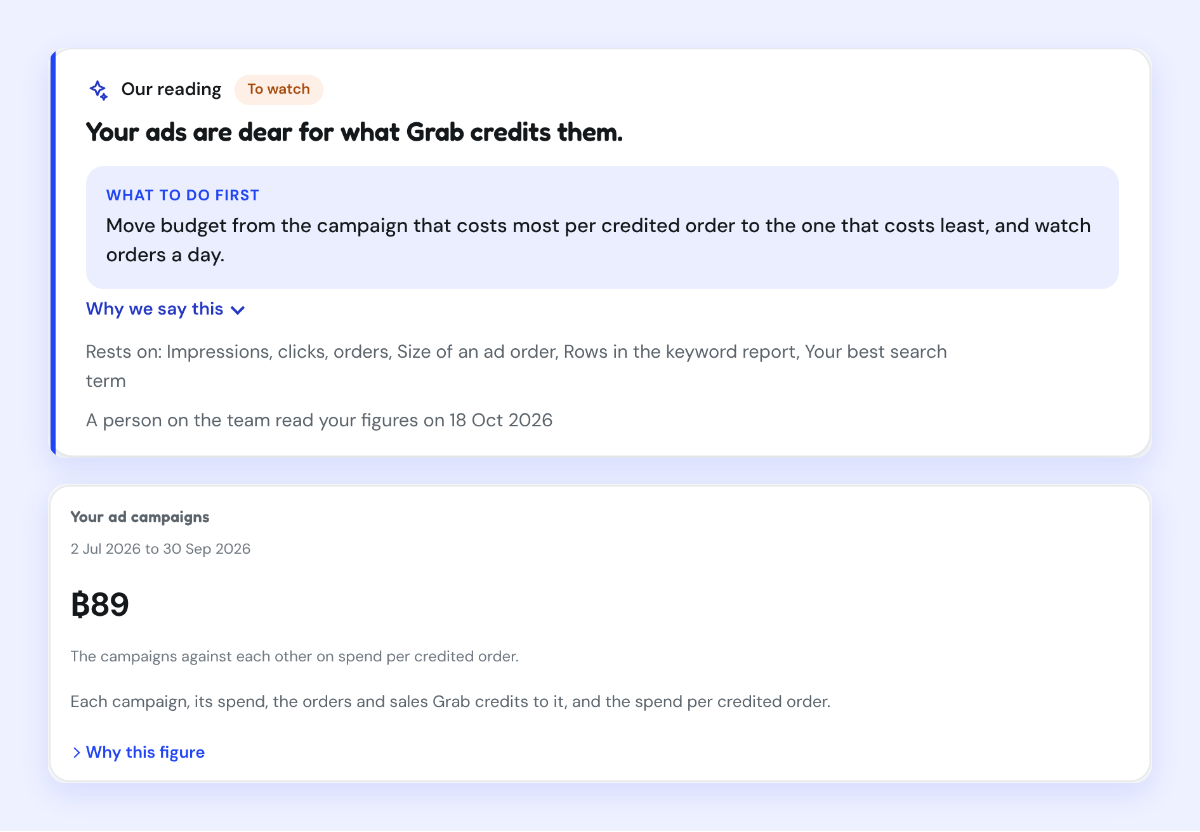
Kontimo reads your GrabFood ads every month and tells you in plain language which campaign to keep, which to change and which to end.
Sources 27 documents, every figure traceable to one
- How to manage published campaigns (Grab merchant help centre, Singapore), text of the article (read on 2026-11-23)
You can view, edit, pause, or stop campaigns directly from the GrabMerchant app.
- How to manage published campaigns (Grab merchant help centre, Singapore), text of the article (read on 2026-11-23)
Tap the Marketing tile on your GrabMerchant app home screen.
- How to manage published campaigns (Grab merchant help centre, Singapore), text of the article (read on 2026-11-23)
Go to the Manage tab to view all campaigns.
- How to manage published campaigns (Grab merchant help centre, Singapore), text of the article (read on 2026-11-23)
Scroll to the bottom and click the red Pause Campaign button.
- How to manage published campaigns (Grab merchant help centre, Singapore), text of the article (read on 2026-11-23)
The campaign will move to the Paused section, where you can resume it later using the same steps.
- How to manage published campaigns (Grab merchant help centre, Singapore), text of the article (read on 2026-11-23)
Scroll to the bottom and click the red End Campaign button.
- How to manage published campaigns (Grab merchant help centre, Singapore), text of the article (read on 2026-11-23)
All campaigns paused for over 60 days will be automatically marked as "Completed" to streamline campaign management. The campaign will move to the Completed section, and it can’t be resumed anymore.
- How to manage published campaigns (Grab merchant help centre, Malaysia), text of the article (read on 2026-11-23)
All campaigns paused for over 60 days will be automatically marked as "Completed"
- How to manage published campaigns (Grab merchant help centre, Singapore), text of the article (read on 2026-11-23)
Scheduled Delete campaign NA
- How to manage published campaigns (Grab merchant help centre, Singapore), text of the article (read on 2026-11-23)
Budget (Note: Budget can only be increased)
- How to manage published campaigns (Grab merchant help centre, the Philippines), text of the article (read on 2026-11-23)
However, the start date and budget cannot be changed.
- How to manage published campaigns (Grab merchant help centre, Singapore), text of the article (read on 2026-11-23)
Note: For Image or Search ad campaigns, you can also edit your targeted audience.
- How to manage published campaigns (Grab merchant help centre, Singapore), text of the article (read on 2026-11-23)
Ongoing campaigns: Can be stopped but not resumed. You’ll need to set up a new campaign.
- How to manage published campaigns (Grab merchant help centre, Singapore), text of the article (read on 2026-11-23)
Ongoing campaigns: Can be stopped by leaving the campaign. Rejoining depends on the campaign design.
- How to manage published campaigns (Grab merchant help centre, Singapore), text of the article (read on 2026-11-23)
Completed: Campaigns that have finished
- How to manage published campaigns (Grab merchant help centre, Singapore), text of the article (read on 2026-11-23)
Reports, insights, and creative assets remain accessible.
- Why is my ad activity paused (Grab merchant help centre, Singapore), text of the article (read on 2026-11-23)
This usually happens when your store wallet has unpaid ad spend.
- Why is my ad activity paused (Grab merchant help centre, the Philippines), text of the article (read on 2026-11-23)
This means your ads won’t reach customers until the balance is cleared.
- Why is my ad activity paused (Grab merchant help centre, Singapore), text of the article (read on 2026-11-23)
Auto Deduction (Default): Your store earnings will automatically cover the outstanding balance. During this time, you may not be able to cash out on sales. Ad delivery should resume one day after the balance is fully cleared.
- Why is my ad activity paused (Grab merchant help centre, Singapore), text of the article (read on 2026-11-23)
Manual Bank Transfer (Recommended): You can pay the outstanding balance via bank transfer. Ad delivery will resume once the payment is processed, which may take up to one week.
- Why is my ad activity paused (Grab merchant help centre, Malaysia), text of the article (read on 2026-11-23)
Bank Transfer: If auto deduction isn't an option, contact Grab Support for bank transfer instructions.
- Aktivitas iklan dijeda (Grab merchant help centre, Indonesia), text of the article (read on 2026-11-23)
Campaign iklan Anda akan kembali aktif dalam 24 jam setelah sistem memotong semua biaya pembelanjaan iklan yang perlu dilunasi.
- Aktivitas iklan dijeda (Grab merchant help centre, Indonesia), text of the article (read on 2026-11-23)
Jika biaya pembelanjaan iklan yang perlu dilunasi sudah lebih dari 60 hari, campaign iklan akan kembali aktif dalam 10 hari setelah Anda melakukan pembayaran melalui transfer bank.
- Tại sao hoạt động quảng cáo của tôi bị tạm dừng (Grab merchant help centre, Vietnam), text of the article (read on 2026-11-23)
Chiến dịch Quảng cáo sẽ được hoạt động trở lại trong vòng 24 giờ kể từ khi hệ thống cấn trừ hết số tiền nợ quảng cáo cần thanh toán.
- Using credits on Marketing Manager (Grab merchant help centre, Singapore), text of the article (read on 2026-11-23)
Your ad spend will first be deducted from your available ad credits.
- Using credits on Marketing Manager (Grab merchant help centre, Singapore), text of the article (read on 2026-11-23)
Any remaining ad spend will be charged from your daily store earnings.
- Using credits on Marketing Manager (Grab merchant help centre, Singapore), text of the article (read on 2026-11-23)
Expired credits cannot be used, so make sure to utilise them before their expiration date.
Every figure above comes from one of these documents, as it stood on the date given. Your own contract and statements are the figures that count for your restaurant.