GrabFood merchant customer service: how to reach Grab
How to reach GrabFood merchant customer service from GrabMerchant: the Contact Grab path, the PIN that verifies your store, live chat hours and what to prepare.
Singapore, Malaysia, Thailand, Philippines, Vietnam, Indonesia. Published , by Kontimo

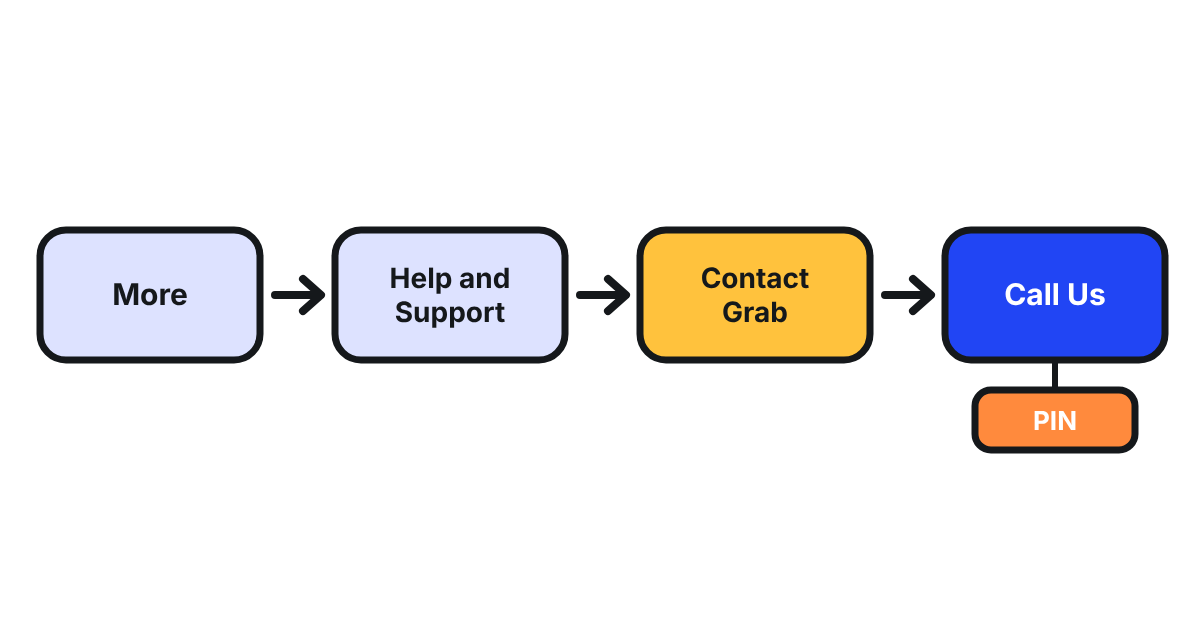
GrabFood merchant customer service starts in the GrabMerchant app: Grab routes merchants to its support through the app and the Help Centre1. Open More, then Help and Support, then Contact Grab23, and tap Call Us: the app shows a PIN that verifies your store and adds it to the call for you45. In Malaysia a live chat answers every day from 10:00 AM to 10:00 PM13. Here is the path, what to have ready, and the one thing support will never ask you.
Where is customer service in GrabMerchant?
Grab's help pages give no merchant phone number: they send you through the app. In Thailand and Singapore the path is the same: log in, open the More tab on the home screen, choose Help and Support, then Contact Grab23. Pick your service, GrabFood for a restaurant, and tap Call Us4.
Singapore adds a second route: More, Help and Support, Help Center, then GrabMerchant Matters, and Call Us at the bottom of that page10.
In the other markets, Grab's own pages point the same way. Indonesia asks merchants to contact its support team through the GrabMerchant app16. The Philippines asks merchants to reach it through the GrabMerchant app or the Help Center17.
What is the PIN, and why does it matter?
When you tap Call Us, the app makes a unique PIN and shows it on screen4, and the PIN is added to the number when you call5. It tells Grab's agent which store is calling, so you do not spend the first minutes proving who you are. It also protects you: the PIN is there to stop someone else from calling as your store and reaching your information9.
Three practical points:
- It expires fast. The PIN is valid for 5 minutes6, and in Singapore it cannot be reused11. Make the call right after you see it.
- Any phone works. You do not have to call from the phone where you are logged in7, nor from the number registered with Grab8.
- It is for GrabFood stores. In Singapore, PINs are made for GrabFood and GrabMart partners, not GrabPay partners12.
Is there a live chat?
In Malaysia, yes. Once logged in, you can join a live chat every day from 10:00 AM to 10:00 PM, Monday to Sunday, and send a request after hours13. The same page lists the requests most merchants make first, such as updating banking details14, each with its own form. Use the form when one exists: it carries what Grab needs and avoids a second exchange.
Grab's pages for the other markets publish no chat hours. If the chat or the call is not in your app, use the Help Centre form for your issue.
Who in your team can ask?
Requests that change the store are sent from the Owner or Manager role. Malaysia15 and Singapore19 both say so. A cashier login will not do. If several people run the account, decide who holds the owner or manager login before you need it on a busy night.
What should you have ready before you call?
- The order ID for anything about an order, a refund or a cancellation.
- The date and the amount for anything about a payout.
- Photos or screenshots of what went wrong.
- Your store's name and branch, if you run more than one.
A call that starts with these ends faster, and one that ends with a request number leaves a trace you can quote next time.
What will Grab support never ask you?
Your password, your bank PIN or a one-time code. Grab's Philippine help centre warns merchants never to share account passwords, bank PINs or OTPs with anyone18. A caller who asks for one is not Grab, whatever the number shows. That is also the point of the PIN: you call Grab, from the app, and the app proves who you are9.
What should you check this week?
- That you can open More, Help and Support, Contact Grab in your app, on the version you use.
- Who in your team holds the owner or manager login.
- Your team knows Grab never asks for a password or a code.
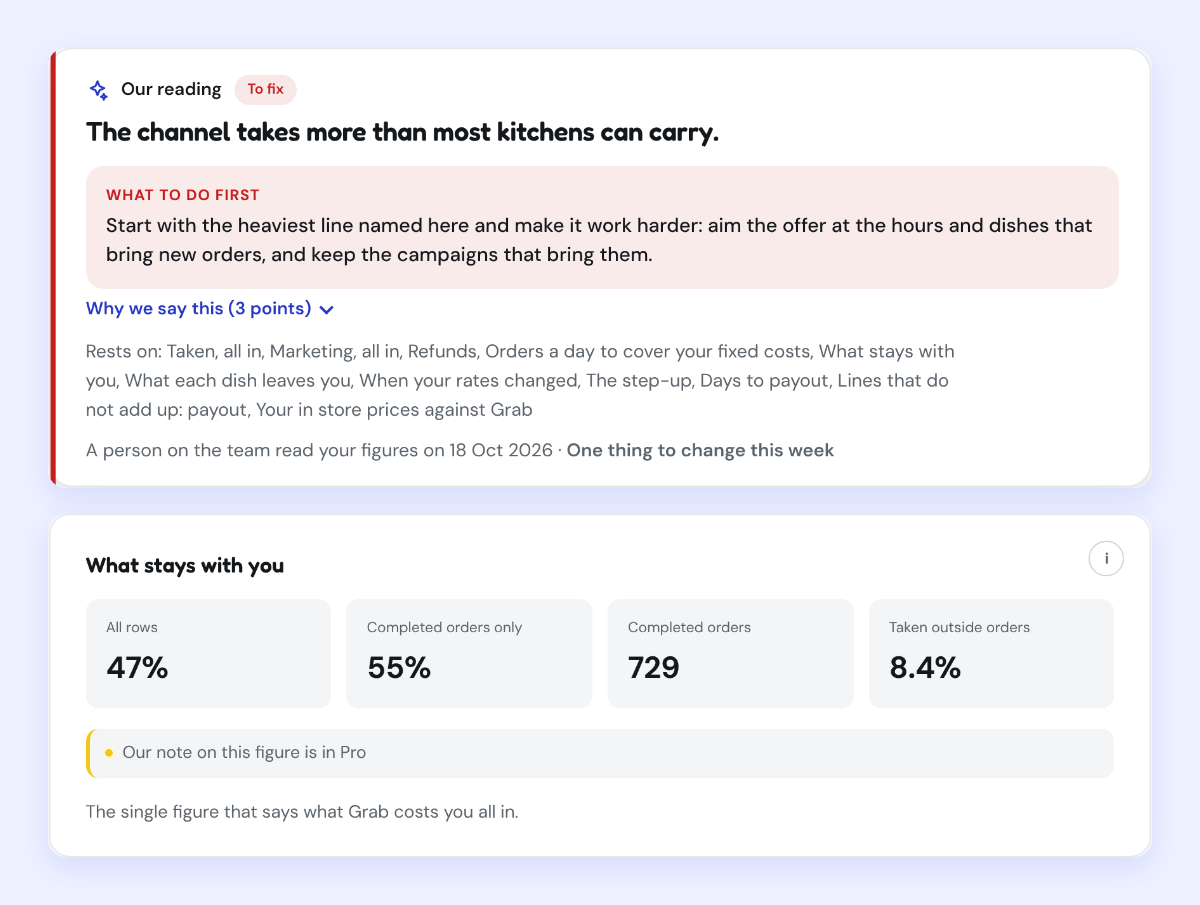
Kontimo reads your GrabFood account every month and tells you in plain language what to fix yourself and what is worth a call to Grab, so each call asks for the right thing.
Sources 19 documents, every figure traceable to one
- How to contact Grab Support via Help Centre (Grab merchant help centre, Thailand), text of the article (read on 2026-11-27)
We’ve made it easier for merchants to contact Grab Support through the GrabMerchant app and Help Centre.
- How to contact Grab Support via Help Centre (Grab merchant help centre, Thailand), text of the article (read on 2026-11-27)
Log into the GrabMerchant app and navigate to the 'More' tab located on the app's homepage.
- How to contact Grab Support via Help Centre (Grab merchant help centre, Thailand), text of the article (read on 2026-11-27)
Select 'Help and Support' and select 'Contact Grab' .
- How to contact Grab Support via Help Centre (Grab merchant help centre, Thailand), text of the article (read on 2026-11-27)
Tap on 'Call Us'. A unique PIN code will be generated and displayed on your screen.
- How to contact Grab Support via Help Centre (Grab merchant help centre, Thailand), text of the article (read on 2026-11-27)
The PIN code will automatically be appended to contact number.
- How to contact Grab Support via Help Centre (Grab merchant help centre, Thailand), text of the article (read on 2026-11-27)
Please note that the PIN code remains valid for 5 minutes.
- How to contact Grab Support via Help Centre (Grab merchant help centre, Thailand), text of the article (read on 2026-11-27)
It is not mandatory to use the same phone as the one logged into the GrabMerchant app.
- How to contact Grab Support via Help Centre (Grab merchant help centre, Thailand), text of the article (read on 2026-11-27)
You are not obligated to use a phone number registered with Grab.
- How to contact Grab Support via Help Centre (Grab merchant help centre, Thailand), text of the article (read on 2026-11-27)
Enhanced Security: PIN verification acts as a deterrent to potential fraudsters or unauthorized individuals attempting to impersonate merchants and gain access to sensitive store information.
- How to generate a PIN number to contact Grab (Grab merchant help centre, Singapore), text of the article (read on 2026-11-27)
Select ‘GrabMerchant Matters’
- How to generate a PIN number to contact Grab (Grab merchant help centre, Singapore), text of the article (read on 2026-11-27)
Note: The PIN code has a validity of 5 minutes and cannot be reused.
- How to generate a PIN number to contact Grab (Grab merchant help centre, Singapore), text of the article (read on 2026-11-27)
Please note that PIN Codes are only generated for GrabFood/GrabMart partners, not GrabPay partners.
- Report other issues as a merchant (Grab merchant help centre, Malaysia), text of the article (read on 2026-11-27)
Still can't find a solution to your request? Log in to join us on Live Chat for quick assistance. We’re online every day from 10:00 AM to 10:00 PM, Monday to Sunday. Alternatively, you may also reach out to us after hours by submitting a request below!
- Report other issues as a merchant (Grab merchant help centre, Malaysia), text of the article (read on 2026-11-27)
Request to update banking details
- Report other issues as a merchant (Grab merchant help centre, Malaysia), text of the article (read on 2026-11-27)
Please log in using the Owner or Manager role to submit a request.
- Proses pembayaran GrabFood (Indonesia), text of the article (read on 2026-10-09)
jangan ragu untuk menghubungi tim dukungan kami melalui aplikasi GrabMerchant
- GrabFood merchant chargeback for refunds (Grab merchant help centre, the Philippines), text of the article (read on 2026-11-18)
If you need further assistance, feel free to reach out to us through the GrabMerchant app or Help Center.
- How to handle missing or incomplete orders (Grab merchant help centre, the Philippines), text of the article (read on 2026-10-21)
Be cautious of scammers. Never share sensitive business information like account passwords, bank PINs, or OTPs with anyone.
- I want to appeal against an incident (Grab merchant help centre, Singapore), text of the article (read on 2026-11-04)
Important: Please log into the Owner or Manager role to submit a request.
Every figure above comes from one of these documents, as it stood on the date given. Your own contract and statements are the figures that count for your restaurant.